
Professional AI Face Swap Technology for Streaming & Video Calls
Deep Live Cam VFX
Professional Real-time Face Swap AI Software
Built strictly for deployment in professional or semi-pro broadcasting environments where dropping frames is not an option.
Harness the groundbreaking power of face swap AI with Deep Live Cam VFX, the definitive software for unmatched facial transformations on your Windows PC. Utilizing state-of-the-art neural networks and advanced machine learning algorithms, our tool analyzes and maps facial landmarks with pixel-perfect precision. This ensures that every expression, blink, and subtle movement is seamlessly blended into your target video or live feed without any unnatural artifacts. Whether you are a professional video editor seeking flawless post-production VFX or a streamer wanting to engage your audience with high-fidelity avatars, our intelligent AI engine guarantees the most realistic and fluid face replacement available on the market.
⚠️ Ethical Use Notice
Use responsibly with consent. Never use for malicious purposes, fraud, or deception. Always comply with local laws and platform terms of service.
Real-time face swap demonstration using Deep Live Cam AI technology
System Requirements
For optimal performance, ensure your system meets these requirements:
Live Webcam & Video Support
Swap faces in real-time directly from your webcam during streaming, video calls on Zoom, Teams, Skype, or Discord. Also supports pre-recorded video files for content creation.
Real-time Processing
No lag, no delay. Experience smooth face swapping with optimized GPU acceleration. Process up to 60 FPS for seamless real-time performance.
Advanced AI Technology
Powered by cutting-edge deep learning algorithms. Use pre-trained models or train your own for customized face swapping with high accuracy.
🚀 UNLEASH THE AI: 1-CLICK TO SWAP
Select the edition that best fits your workflow. 100% Automated. Instant Execution.
LITE WEB INSTALLER
Ultra-Lightweight Setup (119MB)
Our smart installer automatically provisions the Python environment and fetches the latest AI models in the background upon first launch.
(Estimated setup time: 5-10 minutes depending on network speed)
FULL BUNDLE EDITION
Ultimate Offline Archive (4.24GB)
Pre-packed with a dedicated Portable Python engine, CUDA libraries, and all core AI Models. Extract the archive and it's ready to blast off instantly!
🔒 Setup payload is digitally crypted and verified 100% clean by Windows Defender.
How to Use Deep Live Cam - 3 Easy Steps
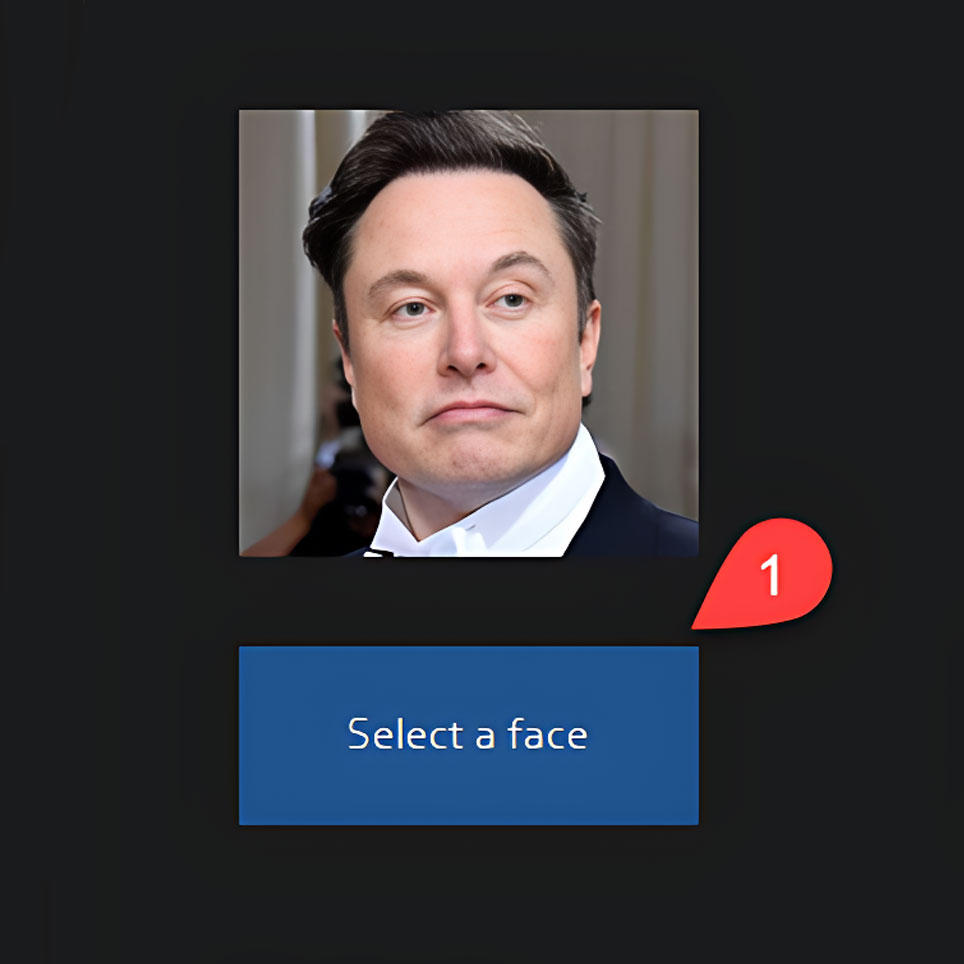
Step 1: Select Face Model
Choose or train your face model. You can use pre-trained models or create custom models with your own photos for personalized face swapping.
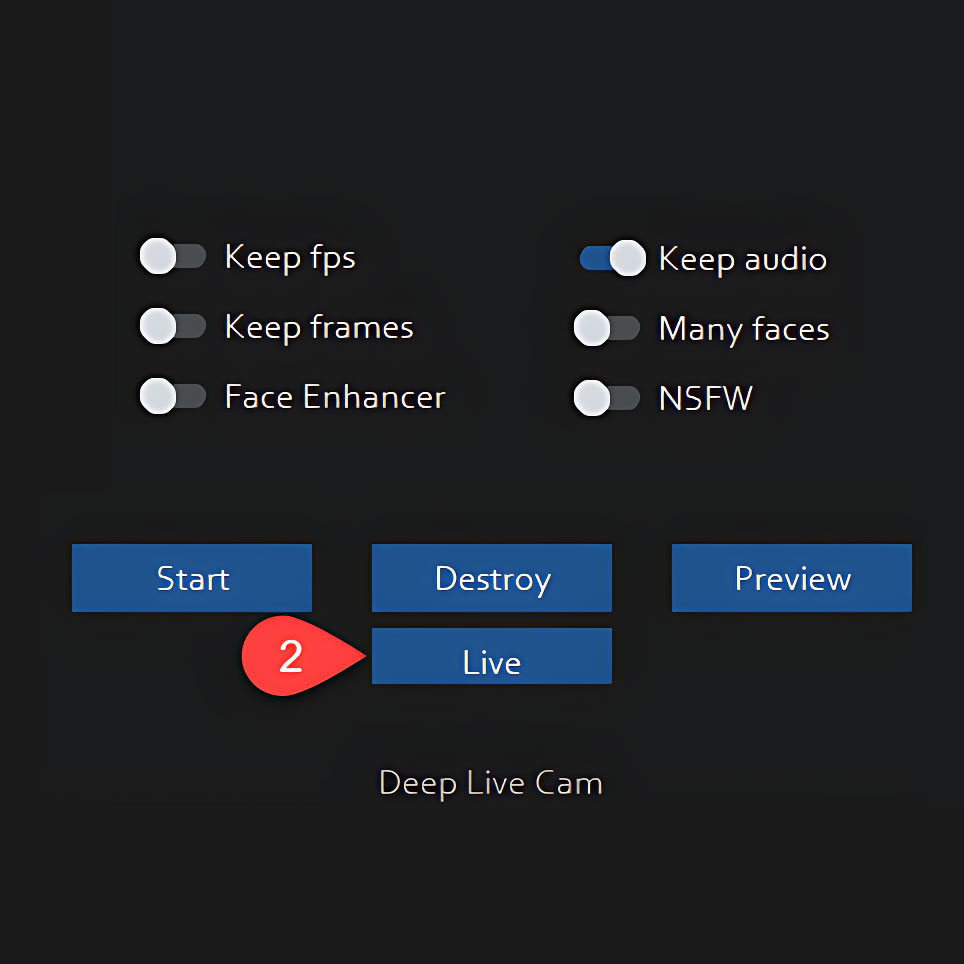
Step 2: Configure Settings
Adjust blending, quality, and output settings. Optimize for your hardware and desired quality level. Test different configurations for optimal results.
Step 3: Go Live!
Click "Live" to start real-time face swapping. Use with OBS, Streamlabs, XSplit, or any video conferencing software that supports virtual cameras.
Frequently Asked Questions
Yes, Deep Live Cam is completely free and open-source. There are no hidden fees, subscriptions, or premium features. All versions include full functionality. We believe in making AI technology accessible to everyone.
For basic use, a mid-range PC with 8GB RAM works. For optimal real-time performance (60 FPS), we recommend an NVIDIA GPU with 4GB+ VRAM and 16GB system RAM. The DirectX 12 version works on lower-end systems.
Yes! Deep Live Cam creates a virtual webcam that works with any software: Zoom, Skype, Teams, Discord, OBS, Streamlabs, etc. Just select "Deep Live Cam" as your camera source in the software settings.
Our AI produces high-quality results that are difficult to detect in real-time. However, advanced forensic tools may identify AI-generated content. Always use responsibly and with consent.
You need 100-500 clear photos of the target face from different angles and lighting conditions. Use our included training tools or check our GitHub repository for detailed training guides and tutorials.
Advanced FaceSwap AI Technology
Our cutting-edge AI technology provides seamless face swapping with high fidelity and natural results. Perfect for content creators, streamers, video professionals, and creative projects.
High Quality Output
Cinema-grade face swapping with attention to detail, natural lighting adjustment, and realistic texture matching for professional results.
User-Friendly Interface
Intuitive interface designed for both beginners and professionals. Easy setup with comprehensive documentation and tutorials.
Regular Updates
Frequent updates with new features, improved algorithms, and performance optimizations based on user feedback.
